
Keep the few.Lose the rest.
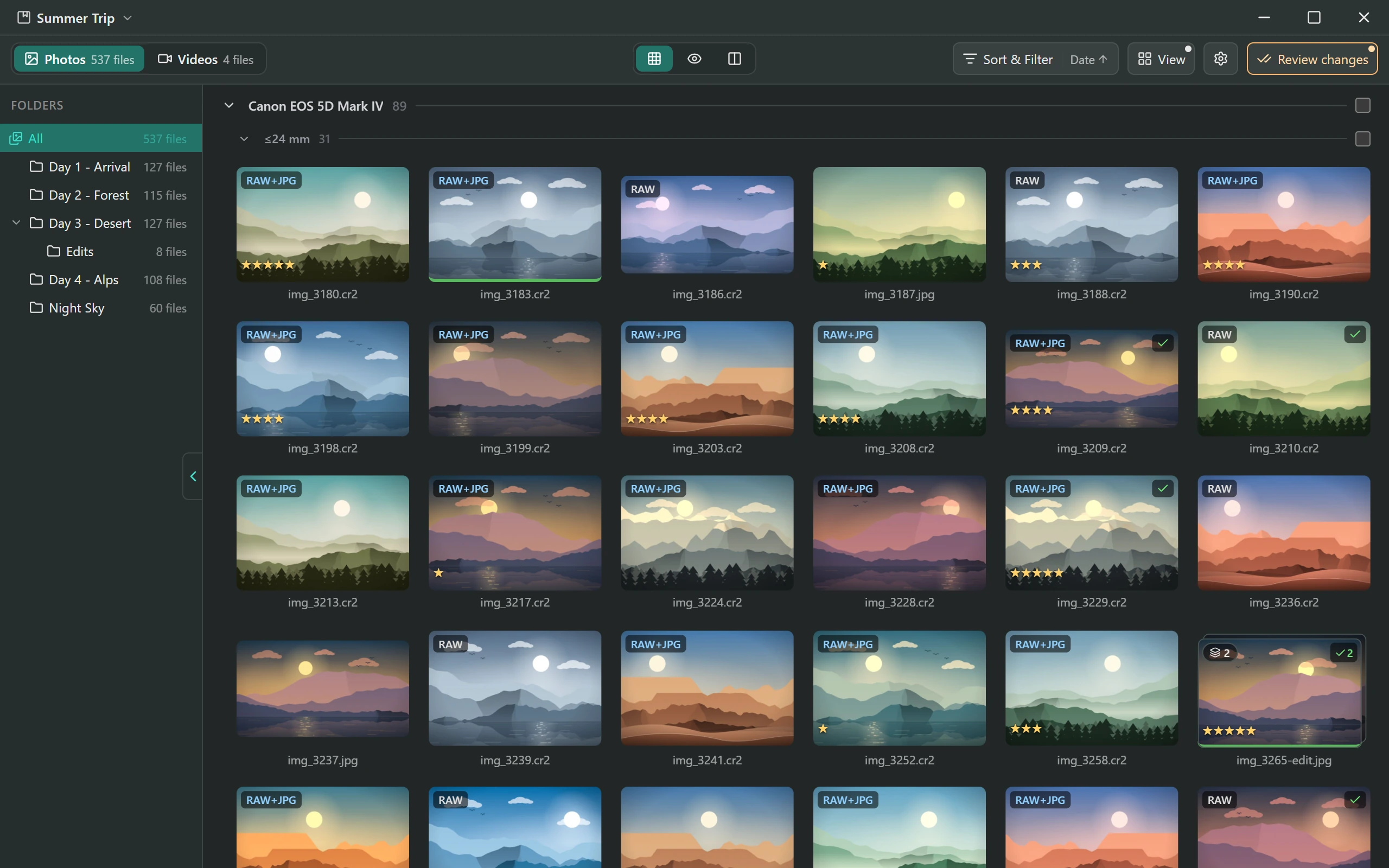
Cullant is a free, open source photo culling app for desktop and mobile. Rate, flag and reject a whole shoot from the keyboard, or from your phone, reading the card where it is.
- Open source
- Works offline
- No account or subscription
Windows · Android · macOS · Linux
Every camera, as it comes off the cardThe full format list
- Canon.CR3 .CR2 .CRW
- Nikon.NEF .NRW
- Sony.ARW .SR2 .SRF
- Fujifilm.RAF
- Panasonic.RW2 .RAW
- OM System.ORF .ORS .ORI
- Leica.DNG
- Pentax.DNG .PEF
- Ricoh.PEF
- Sigma.DNG .X3F
- Hasselblad.3FR .FFF
- Phase One.IIQ
- Yours, tooEvery other RAW
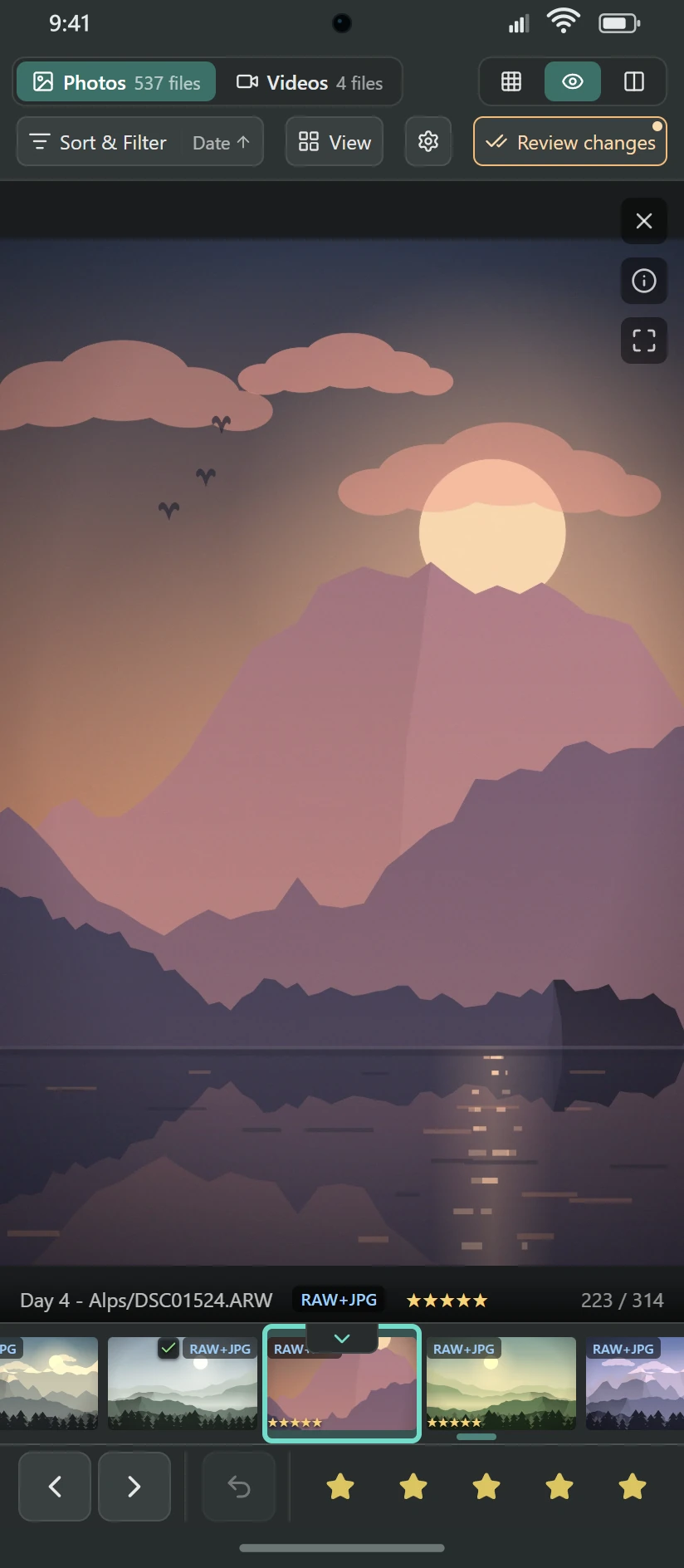
Cull without a computer.
A trip, a hotel room, a flight home. Cullant runs on the phone in your pocket and opens the card in your bag, so the shoot is culled before you unpack. iOS and iPadOS are next.
Any storage, through Android's own picker
A card in a reader, the camera on a cable, or a folder on the phone. Cullant remembers it, so it does not ask twice.
Finish it at the desk
The marks live in a small database inside the project folder. Put the card in your computer and carry on where you stopped.
Prepared once. Instant after that.
The next photo is on screen the moment you press the key, already sharp. No loading blur, no spinner, so you can check the aperture and the focus as fast as you can look.
- The first time you open a folder, Cullant reads it once. You can start to cull while it works.
- It keeps a preview of each photo in the project folder. Your photos are not copied or changed.
- After that, every frame comes from that cache. Hold the arrow key and the shoot goes by.
Two files. One photo.
Rate the pair once and both get the rating. Reject it once and both go. No orphan RAW left on the card.
- Same folder, same name: one photo in the grid, one file per row on the disk.
- Want the JPEG but not the RAW? Ctrl+J decouples the shot, and each file takes its own marks.
Three thousand frames down to the twenty that matter.
Filter on your marks, the camera or the file. Then put what is left into sections, one level inside the next.
Your marks
- Pick
- Reject
- Unflagged
- Stars
- Colour label
- Task tagand more
The camera
- Body
- Lens
- ISO
- Aperture
- Shutter
- Focal length
- Dateand more
The file
- RAW
- JPEG
- RAW + JPEG
- Portrait
- Landscape
- Folder
- In a burstand more
Groups go as deep as the shoot needs: the day, then the body, then the lens, in the order you choose. Fold a section when it is done. Select all of it with one click and mark it with one key.
Add or remove a level above.
Forty frames. One winner.
Cullant finds the bursts for you and keeps each one in a single cell, so a fast sequence does not bury the rest of the shoot.
One cell per burst,.
Frames close in time that also look alike collapse into one stack. Step through it without opening it.
SurveyN
Every frame at once, up to 16 in a batch. Reject the losers and the rest get more room.
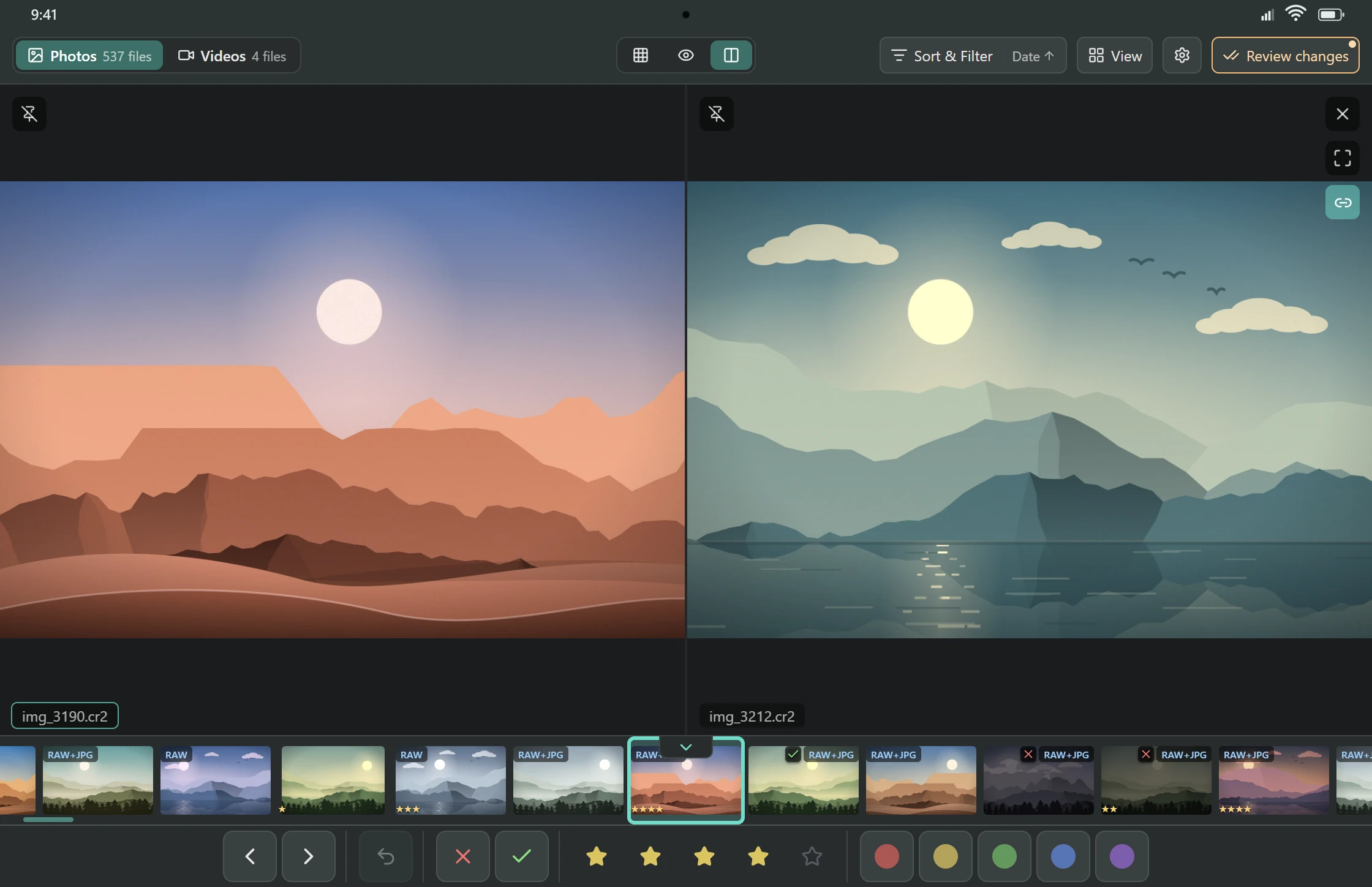
CompareC
Two frames side by side, each with its own zoom. Pin one, and the other follows the arrow keys.
Finish the sheet.
A photographer once culled with a grease pencil on a contact sheet. Cullant does the same job, faster. This sheet is half done: finish it.
The shortcuts you already know.
Lightroom defaults, all of them remappable.
- PXUPick, reject, unflag
- 1…5Stars
- 6…9Colour labels
- Tthen1-9Your own task tags
- GECGrid, loupe, compare
- Z100% zoom
Reject freely. The files stay put.
You read the list first
Deletes, moves and copies wait in a queue until you run them. Run all of it, or hold one row to run only that section.
Deletes go to a trash folder
Rejected files go to a _trash folder inside the project. A permanent delete is there if you choose it.
A commit can be undone
Each run is a commit in Change history. Undo a whole commit, or one line inside it, afterwards.
Help keep Cullant free.
Cullant is free and open source, and nothing funds it. If it saves you time, here is how to give a little back.
▸ Last frame Cullant 0.11.0
Your next shoot is already on the card.
- Windows
- Android
- macOS
- Linux
- iOS and iPadOSplanned